Dust and hair lines
Specks and fine scratches in sky, a wall, or a sleeve are the easiest repairs. The surrounding tone still exists, so the fill stays small.
This page is for a physical print that was scanned or photographed. It cleans the object. It does not reshoot the day, and it does not enlarge the file.
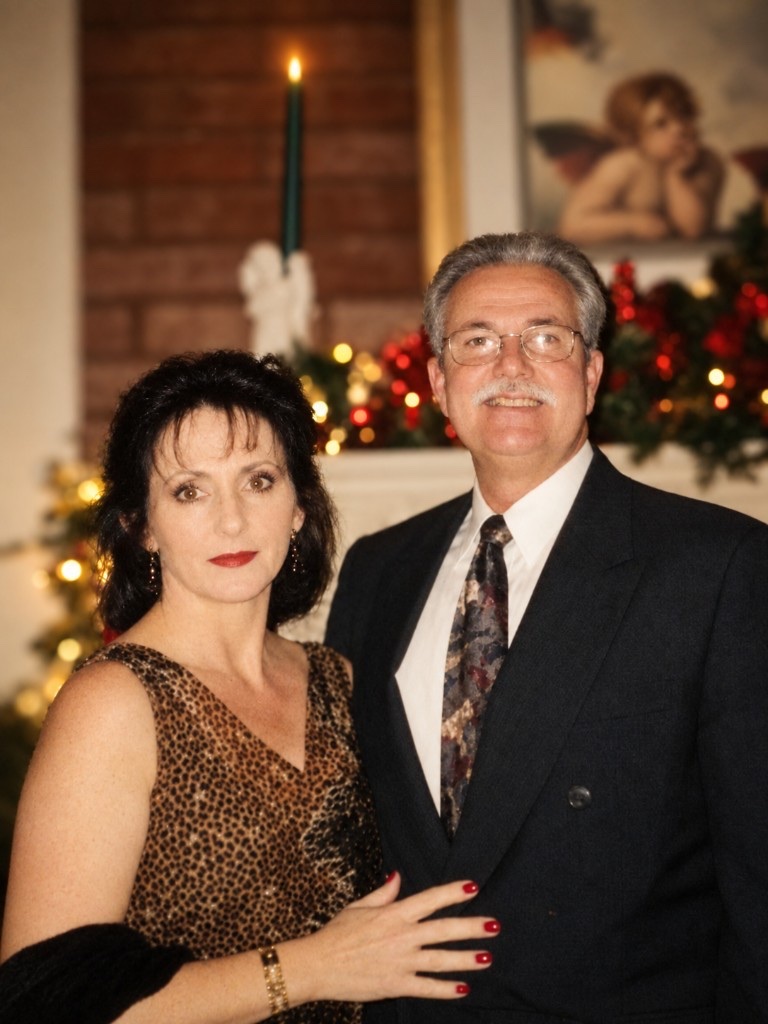
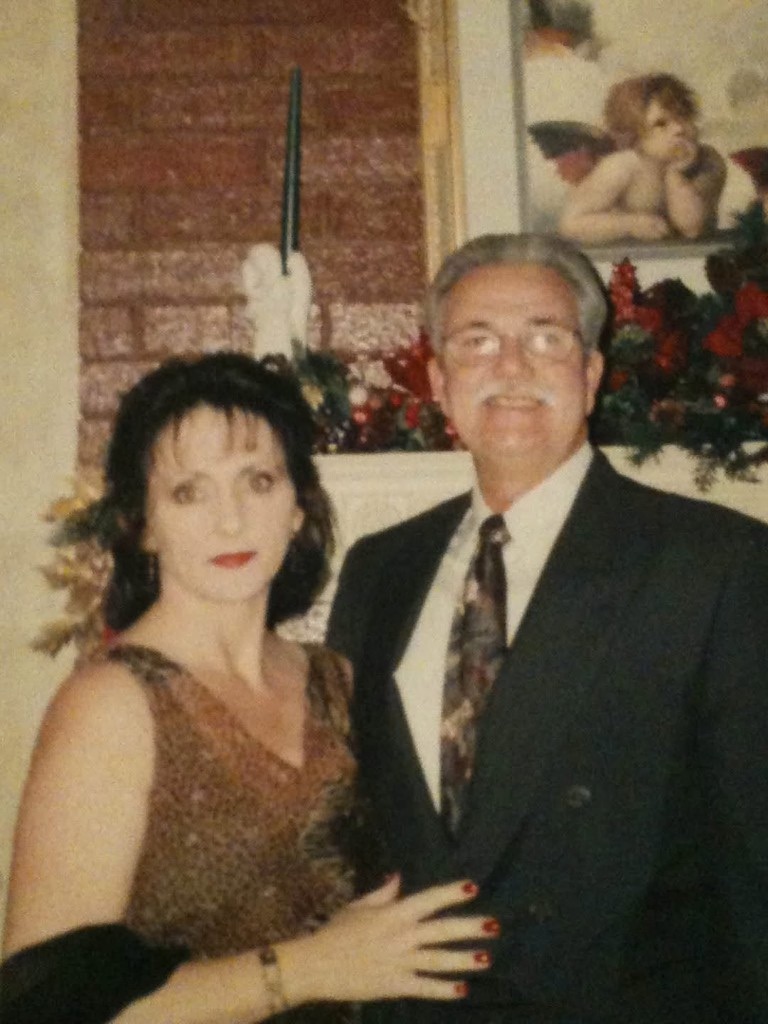
Dad & Mom holiday print. Soft scan lifted — faces clear, pose unchanged.
One free preview per day. New accounts start with 1 credit to download.
JPG, PNG, or WebP, up to 4 MB.
Failure note: if an eye changed shape or a ring changed form, discard the result. Crop out the scanner lid first.
Physical damage with evidence left
The job is to clean the print as an object—not to recreate the scene.
Prepare the object
Crop the border. Remove scanner lids, fingers, tablecloth, and white print margins. Show the photograph, not the desk.
Flatten the print. A curl creates a shadow the model may read as damage and paint over.
Use even light. A lamp on one side looks like uneven fade and causes the wrong half to be lifted.
Do not pre-filter. A phone beauty pass before restoration is how a real face gets replaced twice.
Smallest invention first
1. Dust first. It is the smallest repair and the smallest invention.
2. Fade second. Settle cast and contrast while keeping any original dye that remains.
3. Color last. Every color on hair, coats, walls, cars, and eyes is a model guess.
4. Upscale afterward. Add pixels on the other page only when the repaired print needs a larger output.
Optional rendering
A black-and-white print contains no recorded color to recover. Any color was selected by the model. Hair, uniforms, dresses, wallpaper, and eyes are the usual mistakes. A blue eye that was never recorded is a different person.
Colorize a picture you want to frame only when you accept it as a rendering. Keep the fade-repaired, uncolored file beside it. That is the copy you trust.
If a print was already color and merely shifted, use Fade—not Colorize. Recoloring repaints dyes that are still partly there.
Inspect before keeping
A cleaner scan can still be a worse family record.
Same shape and catchlight. A cleaner iris that changed size is a failure.
It should become quieter—not a new fold of cloth or strand of hair.
Wallpaper, fences, and knit should not turn into repeating tiled texture.
Sky and walls should improve. Blotchy tone means the pass was too strong.
Small edges disappear first. A ring that changed shape is a failure.
Keep it. A restored file is not a replacement for the source.
Jobs that belong
The main job. Dust on, fade on, color off. The face is already readable, so the pass should not redraw it. This is the hero pair to add when one exists.
Cast more than damage. Fade on, colorize off. A dress should keep its hue and become less pink or yellow—not become a different dress.
Dust and scratch on. A crease crossing both eyes is likely to fail. Do not promise a repaired torn eye.
Glare is not dust. Tilt and reshoot when possible. A white reflection will be read as damage and painted into a patch.
You may not need restoration. With no dust or crease, the homepage pass is lighter. Restore can over-clean skin on a clean file.
Keep three files when you colorize: the original scan, the repaired uncolored file, and the colorized file. Name them.
The colorized version is the one you might frame. The uncolored repair is the one you trust. The original is the one you can run again. Never delete the source simply because a download looks cleaner. Cleaner and true are not the same.
One free preview per day. New accounts start with 1 credit to download.
Preservation questions
A light crease, often. A missing corner can only be filled by painting a guess. Crop the tear out when the face is still intact.
Only as a second file. Color is a guess. Hair, clothes, eyes, cars, and walls are where that guess becomes visible.
Only when the apparent softness comes from dust or fade. Camera shake and missed focus in the original exposure remain blur.
No. It keeps the same frame and pixel size. Upscale the repaired, uncolored file afterward when you need a larger print.
Only when the phone is photographing a physical print. A dark digital photo needs a light pass, not restoration.
They can when the pass is too strong or the face was already worn away. Compare both eyes before downloading.
One free preview per day. New accounts start with 1 credit to download.
JPG, PNG, and WebP files up to 4 MB.
Keep the original scan and the repaired uncolored file. If you colorize, keep that as a separate rendering—not the only family copy.
You can, but do not on the first run. Repair dust and fade, download, then colorize a copy so the color changes remain visible.
Upload a print with a face you can still name. Dust and fade on. If the eyes hold and the specks drop, keep that file. Turn color on only after the uncolored download exists.