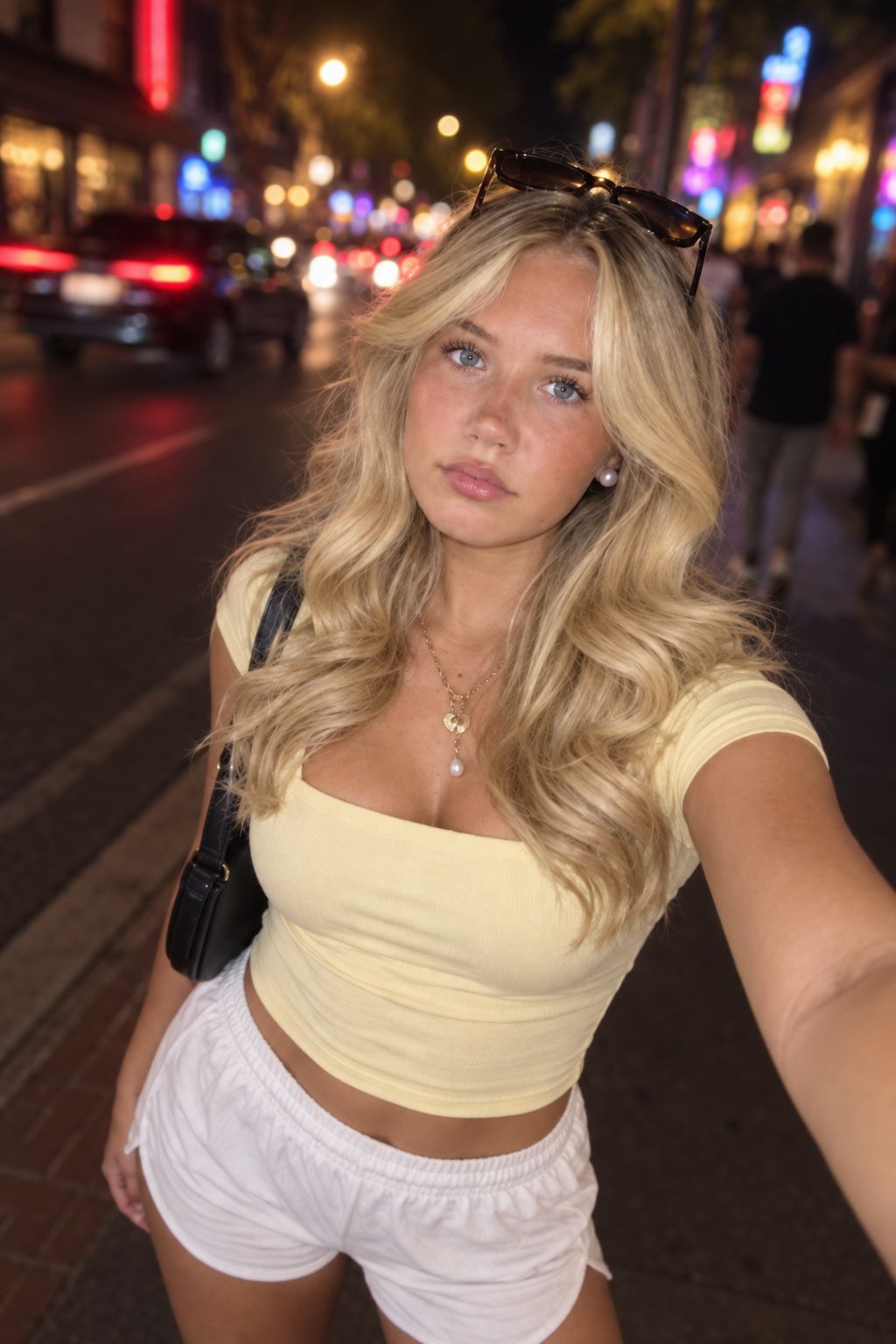
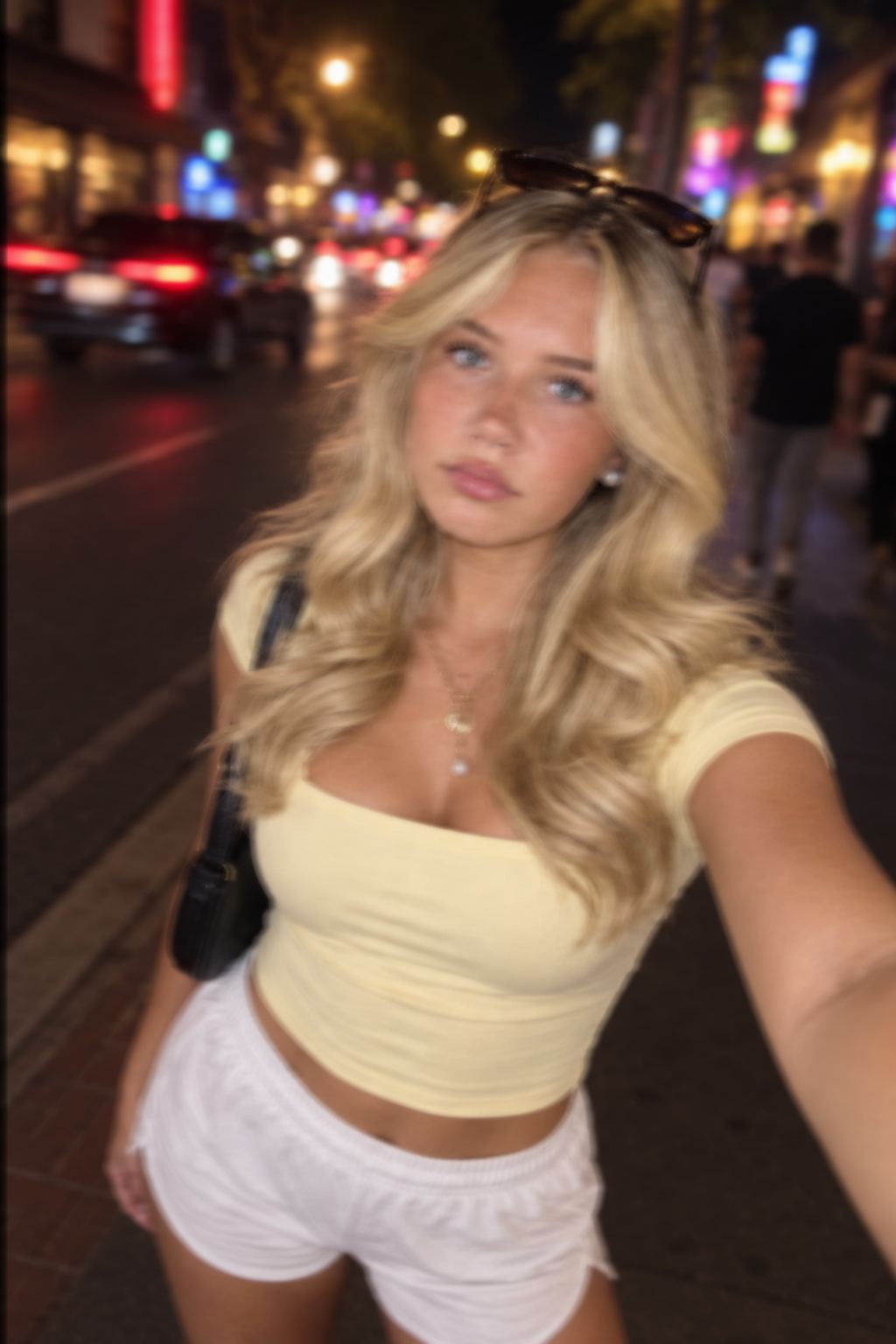
Unblur a photo with camera shake or missed focus.
The tool tries to reverse a smear. It does not recover detail the camera never recorded. Mild shake comes back. A streak and a smooth blur do not.


Handheld street night, slight directional drag. After: edges tightened, face not redrawn.
Upload a blurry photo
Directional drag across the frame
One free preview per day. New accounts start with 1 credit to download.
JPG, PNG, or WebP, up to 4 MB.
Read the edge first
Which blur this page can unblur
Blur is not one problem. Direction, focus, and subject motion leave different evidence.
Missed focus
Subject motion
Which blur does not belong here
Intentional blur
Pixelation and JPEG blocks
Dark but in focus
Faded or damaged scan
A thirty-second diagnosis
How to tell what kind of blur you have
Zoom until you see pixels. Pick one hard edge: a window frame, a collar, or a branch against sky.
- 01
Streaks in one direction. Shake or motion. Use Shake or Motion mode.
- 02
Soft in every direction. Missed focus. Use Soft face only when the person is still recognizable.
- 03
Blocky squares. Compression. Leave this page.
- 04
Stair-step pixels. The file is small. Leave this page.
- 05
A double edge after a run. The pass was too strong, or the frame was never blur. Do not run it again.
Reconstruction has limits
What an unblur pass is allowed to invent
Sharpen raises the contrast of edges that already exist. Unblur estimates edges that were smeared away.
Fabric and objects
Faces
Text
Combined blur
One run, then inspect
How to unblur a photo
- 01
Crop to the subject
If blur only affects them, do not waste the pass on a full street and empty sky.
- 02
Pick from the edge test
Choose Shake, Motion, or Soft face from the evidence—not the filename.
- 03
Run once
Compare at a large zoom. Fit-to-screen can hide a changed eye.
- 04
Check three places
Inspect the eyes, one high-contrast edge, and any text. If two are worse, download nothing.
- 05
Fix light afterward
If a good unblur is still dull, use a light pass. Never stack Unblur twice.
- 06
Upscale last
Only enlarge when you need the pixels. Enlarging a smear only makes the smear bigger.
Good candidates
Where unblur holds
Indoor handheld
Roughly 1/15 to 1/30, subject still, short directional drag, face readable. This is the real job.
Focus on the nose
A portrait with slight, even softness can pull the eye back when the lashes are still a line.
Product with a small camera move
The bottle edge often comes back. The label may still be wrong.
Stop conditions
Where it fails
Child or dog mid-turn
The streak crosses itself. The result grows an extra edge.
Night traffic
Lights become lines. There is no car left to recover.
A face with no remaining edge
Soft face will draw a face. It will not be the one in the room.
Backlit hair
The rim is already a guess. Unblur adds a second rim.
Worked comparison
Unblur, sharpen, enhance, upscale
Use the visible defect—not the result you hope for—to choose the page.
| What you see | Page | Why |
|---|---|---|
| Short streak, one direction | This page | The smear may be reversible |
| Even softness, subject recognizable | This page, Soft face | Slight misfocus only |
| In focus, just dull or dark | Homepage enhancer | Light and texture, not blur |
| In focus, edges quiet | Sharpen | Contrast, not reconstruction |
| Small and blocky | Upscale | Missing pixels |
| Dust, fade, crease | Restore | Damage, not blur |
A useful failure
A bad result, on purpose
A ranking page that only shows wins teaches you nothing about when to stop.
Failed pair reserved
Caption: Too far gone. The after is a different face. Do not download this. A real failed face pair belongs here when one is available.
What a free unblur includes
One free preview per day. New accounts start with 1 credit to download.
Clear limits
Questions about unblurring a photo
It can tighten mild shake and slight misfocus. It cannot restore a streak that has no edge left. The sharp result is an estimate.
Only when the subject is slightly off. Deep blur and bokeh stay soft. Use Soft face, zoom in, and reject a changed eye.
No. Sharpen boosts edges that exist. Unblur guesses edges that were smeared. Sharpening a blur makes the smear louder.
A slightly soft face, sometimes. A face with no remaining edge becomes a generated face. Discard that result.
Treat recovered text as wrong until you can read it in the original. Never use an unblurred plate, sign, or document as a record.
Not first. Unblur or stop. Upscale last, and only when you need more pixels.
Only when the softness comes from shake or focus. Fade, scratches, dust, and creases belong in Restore.
One free preview per day. New accounts start with 1 credit to download.
JPG, PNG, and WebP files up to 4 MB.
The pass was too strong, or the blur was too severe. Do not run the same result through the tool again.
Run one slightly shaky photo, not your worst one
Pick a handheld shot where you can still name the person. If the eyes hold and the streak is gone, keep it. If the face is new, delete it.